
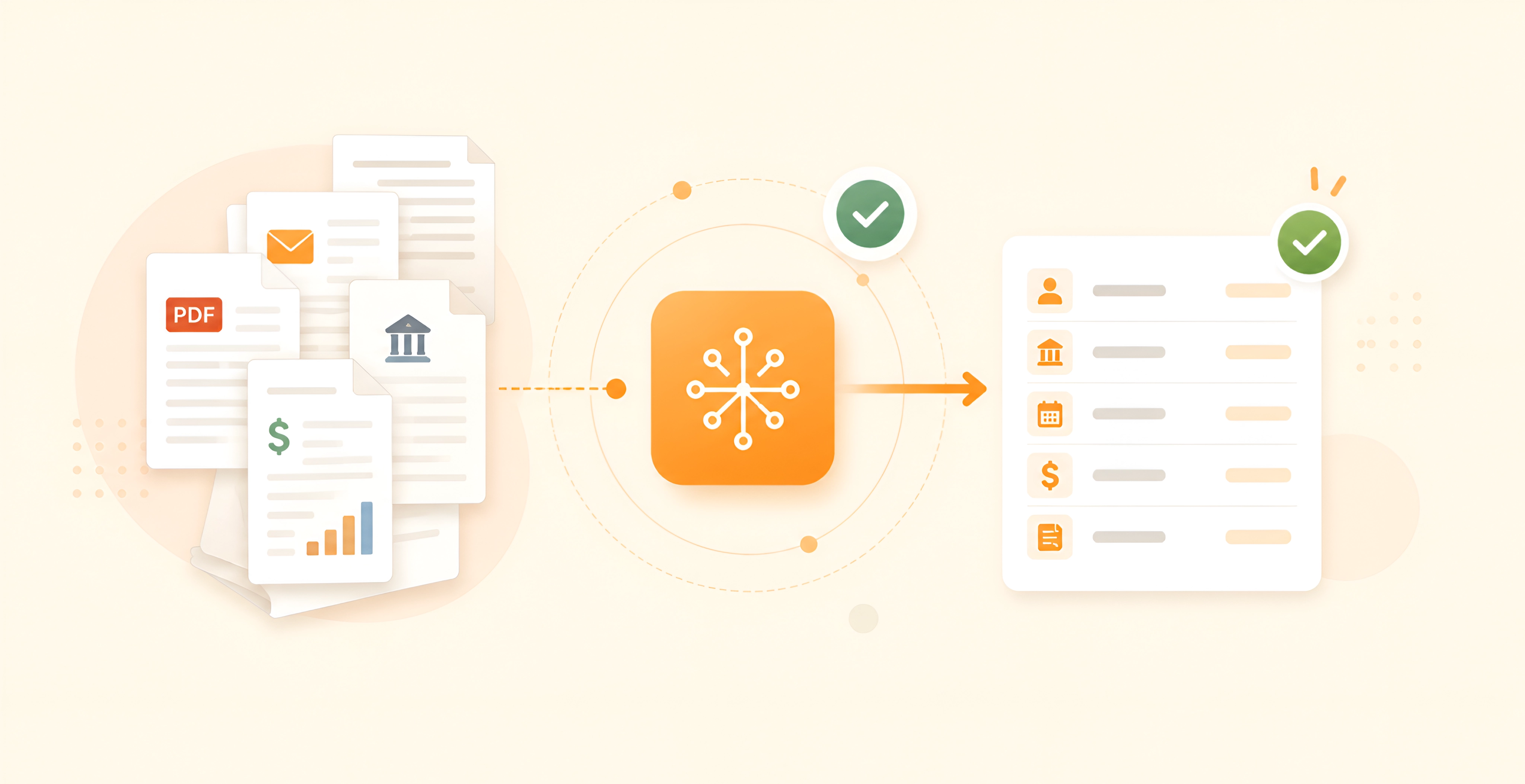
Intelligent financial document processing: how finance teams benefit

Key takeaways
Intelligent financial document processing uses AI to read, classify, extract, validate, and route data from financial documents.
It helps financial services teams reduce manual review, improve consistency, and connect document data to workflows such as advice production, compliance checks, onboarding, lending, and reporting.
The biggest gains come when IDP is designed around the workflow, not treated as a standalone document tool.
Introduction
Intelligent financial document processing helps financial services teams deal with a very common problem: too much valuable data is trapped inside documents.
That data may sit inside PDFs, scans, emails, bank statements, invoices, investment reports, fact finds, Statements of Advice, Records of Advice, loan files, and compliance documents. People then spend hours reading, checking, copying, and re-entering the same information into different systems.
This is where intelligent document processing, often called IDP, becomes useful.
At a basic level, IDP turns document content into structured data. In practice, the real value is bigger than extraction. A well-designed IDP system can help finance teams understand what a document is, find the right data, check it against rules, flag uncertain cases, and send clean information into the next step of the workflow.
For financial services, that matters because document work is rarely isolated. A client file affects advice quality. An invoice affects payment and reconciliation. A bank statement affects lending, onboarding, or financial analysis. A compliance file affects audit readiness.
The question is not only, "Can AI read this document?" The better question is, "Can this document data move through the business with less manual effort and better control?"
What is intelligent document processing in AI?
Intelligent document processing in AI is the use of machine learning, OCR, natural language processing, and automation to read documents, understand their content, extract key data, and send that data into business systems. It goes beyond basic OCR because it understands structure, context, and document type.
Traditional OCR, or optical character recognition, turns text in an image or scan into machine-readable text. That is helpful, but it is only one part of the job.
Financial documents often have tables, signatures, dates, product names, fees, account numbers, client details, and long narrative sections. OCR may read the words, but it does not always know what those words mean or where they belong in the workflow.
That is why IDP usually combines several technologies. IBM describes IDP as AI-powered automation that can classify documents, extract information, and validate data using machine learning. IBM's guide to document processing explains this as a way to structure information that would otherwise stay unstructured.
In simple terms, IDP helps software answer questions like:
What type of document is this?
Which fields matter?
Is the extracted data complete?
Does this value match another system?
Should a human review this case?
Where should the data go next?
For finance teams, this matters because the document is often only the start of the work. The real job is what happens after the document is read.
What is intelligent document processing for finance?
Intelligent document processing for finance means applying AI document automation to financial documents such as bank statements, invoices, investment reports, loan files, advice documents, compliance files, and client records. The goal is to extract reliable data, check it, and move it into financial workflows with less manual handling.
In financial services, documents often carry business-critical context. A small error can create rework, delay a client outcome, or make a review harder later.
For example, a financial advice firm may need to process fact finds, meeting notes, risk profiles, product comparisons, advice documents, and compliance checklists. A finance department may need to process supplier invoices, payment records, remittance files, contracts, expense claims, and audit evidence.
The document types are different, but the underlying problem is similar. Teams need accurate information, clear review points, and a reliable way to move data between systems.
This is why intelligent document processing financial services projects should not be treated like generic document scanning projects. Finance teams usually need stronger controls around:
Data validation
Audit trails
Access permissions
System integration
Human review
Version control
Exception handling
Compliance evidence
In wealth management and financial advice, this becomes even more important. Recommendations need to connect back to client circumstances. Reviewers need to see where information came from. Advisers and paraplanners need confidence that the document reflects the client file.
This is one reason we often connect IDP with fintech software development rather than treating it as a narrow automation task. The document layer needs to fit the wider financial system.
How does intelligent document processing work?
Intelligent document processing works by capturing a document, converting it into machine-readable content, classifying the document type, extracting the required fields, validating the results, and sending approved data into systems such as CRMs, ERPs, advice platforms, or compliance workflows.
The exact setup depends on the use case, but most IDP systems follow a similar path.
First, the system captures documents from emails, portals, uploads, scanners, shared drives, or connected applications. Then OCR and computer vision read the text and layout. AWS explains that IDP systems often use OCR and natural language processing to identify information such as names, dates, and amounts. AWS's IDP guide also describes validation as an important step after extraction.
Next, the system classifies the document. For example, it may decide whether the file is an invoice, bank statement, advice document, ID document, tax report, or client form.
After classification, the system extracts the fields that matter for that document type. In an invoice, that may include supplier name, invoice number, due date, line items, tax, and total amount. In an advice workflow, it may include client objectives, risk profile, asset values, insurance details, fees, or recommendation text.
Then the system validates the result. This may include checking whether the total matches the line items, whether a client name exists in the CRM, whether a date is in the right format, or whether a required field is missing.
Good systems also include confidence scores. If the model is not confident, the case should go to a human reviewer. This is especially important in finance, where the goal is not full automation at any cost. The goal is reliable workflow support.
Finally, clean data moves into the next system. That could be a CRM, ERP, document management system, advice platform, compliance workflow, reporting tool, or payment system. This is where API development services often become important, because IDP has more value when document data can move into the tools teams already use.
The main steps in the IDP process
The IDP process is easier to understand when you think of it as a workflow, not a single AI action.
A practical IDP process usually includes 8 steps:
Capture the document
The system receives a document from an upload, email, portal, scanner, API, or connected system.Read the text and layout
OCR reads printed or handwritten text. Computer vision helps the system understand layout, tables, boxes, signatures, and sections.Classify the file
The system identifies the document type. This matters because an invoice, bank statement, and advice document all need different extraction logic.Extract the right fields
The system pulls out the data needed for that workflow. For finance, this may include amounts, dates, names, account details, product names, fees, objectives, or review notes.Validate the data
The system checks the extracted information against rules, source systems, or expected formats. For example, an invoice total should match line items and tax rules.Route uncertain cases to humans
If confidence is low or something looks unusual, the case goes to a person for review. This keeps control inside the process.Push clean data into downstream systems
Approved data moves into systems such as CRMs, ERPs, advice platforms, compliance tools, or reporting dashboards.Monitor quality over time
Teams track accuracy, review effort, exception rates, and processing time. This helps them improve the workflow after launch.
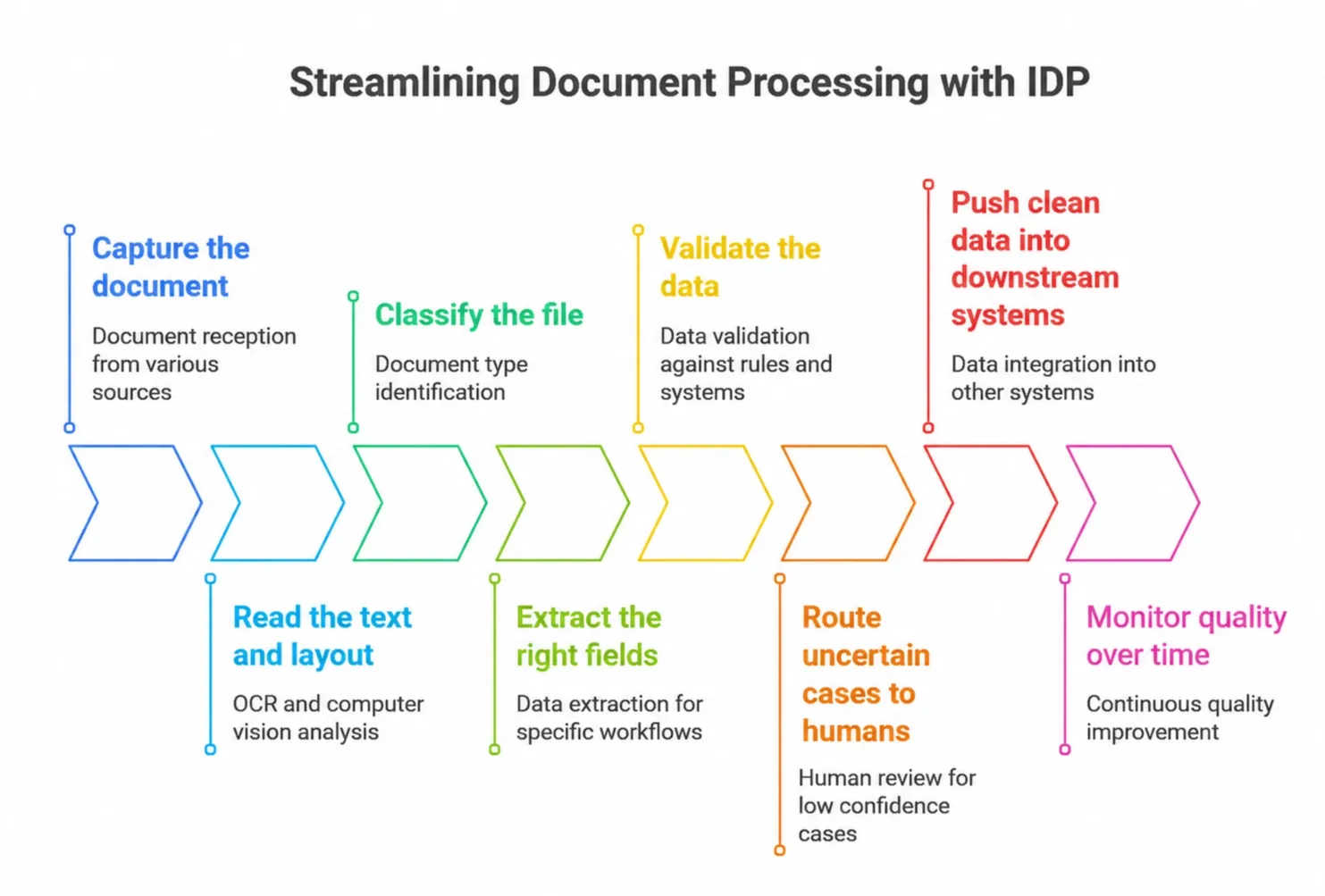
IDP streamlines document processing by capturing documents, reading text and layout, classifying files, extracting fields, validating data, routing exceptions, and sending clean data into downstream systems.
In practice, the validation and routing steps are where many finance projects succeed or fail. Extraction alone may look impressive in a demo, but financial services teams need confidence that the output can be trusted in real operations.
Where intelligent financial document processing creates value
The biggest value of intelligent financial document processing is not only speed. Speed matters, but finance teams also need consistency, visibility, and traceability.
A well-designed IDP system can help with several operational problems.
It can reduce manual data entry. Teams no longer need to copy the same details from PDFs into spreadsheets, CRMs, ERPs, or advice systems.
It can reduce review effort. Instead of reading every field manually, reviewers can focus on exceptions, low-confidence outputs, and unusual cases.
It can improve consistency. The same extraction rules, validation logic, and routing steps apply across similar document types.
It can support better audit trails. Teams can see which document was used, which data was extracted, what changed, and who approved the result.
It can also improve capacity. Deloitte's 2026 wealth management prediction says agentic AI could expand adviser capacity by the equivalent of US$10 trillion to US$35 trillion in additional client assets, depending on adoption and productivity gains. Deloitte's analysis of agentic AI in wealth management is focused on adviser productivity, but the same operational logic applies to document-heavy advice workflows.
Finance departments can also measure IDP impact using practical metrics. APQC lists accounts payable benchmarks such as cost per invoice, first-time error-free disbursements, and cycle time from invoice receipt to payment. APQC's accounts payable benchmark collection shows why document automation should be measured through process outcomes, not only model accuracy.
This is important because AI adoption is growing, but scaling remains difficult. McKinsey's 2025 State of AI survey found that organisations are experimenting with agentic AI, with 23% reporting that they are scaling an agentic AI system somewhere in the enterprise and 39% experimenting with agents. McKinsey's State of AI 2025 shows that adoption is not the same as operational maturity.
For finance teams, that is the key point. IDP should not be judged only by whether it reads a sample document correctly. It should be judged by whether it improves the real workflow.
Why financial services IDP needs workflow design, not just extraction
Financial services IDP works best when it is designed around the full workflow, not just document extraction. A system should know where data comes from, how it is checked, who needs to approve it, and where it must go next.
This is the part many teams underestimate.
It is tempting to start with the document. Upload a file, test extraction, check the fields, and decide whether the model is good enough. That can be a useful first test, but it does not answer the full business question.
The bigger question is how the extracted data will be used.
For example, if an advice document contains a recommendation, the reviewer may need to know which client objective, meeting note, risk profile, product comparison, or strategy document supports it. If that context is missing, the AI output may save drafting time but increase review effort later.
This is why we usually start with the workflow.
When we implemented this for the Effort Lens case study, the first step was not building an AI document tool. It was measuring where the real work happened. The discovery showed that recommendation sections took 3-4 hours on average, while the team expected 1-2 hours.
Once that became visible, we could design AI workflow automation around the real bottleneck. The result was not just faster document handling. Recommendation generation became 3-8 times faster, and summary creation moved from 1-2 hours to a few minutes of human verification.
That experience shaped how we think about intelligent financial document processing. AI should not only extract information from documents. It should help the team understand, review, and move work through the process with fewer gaps.
This is also where related AI implementation experience matters. For example, our Claude API fintech case study shows how large language models can support document-heavy financial workflows when they are connected to real process steps, review logic, and human oversight.
How to prepare your finance team for IDP
Before investing in intelligent financial document processing, map the workflow first.
Start by choosing one document-heavy process. This could be advice document preparation, client onboarding, invoice processing, lending document review, compliance file review, reconciliation, or financial reporting.
Then look at the current process in detail. Which documents arrive? Where do they come from? Who reads them? Which fields are copied? Which systems need the data? Where do errors happen? Which cases need human judgement?
This creates a more realistic implementation plan.
A practical IDP readiness checklist includes:
Identify your highest-volume document types
Map the workflow before choosing the technology
Define what fields need to be extracted
Decide what accuracy means for each field
Separate low-risk automation from high-risk review
Define human review rules
Check data quality in source systems
Plan integrations with existing tools
Track time saved, exception rates, and review effort
Improve the process after the first pilot
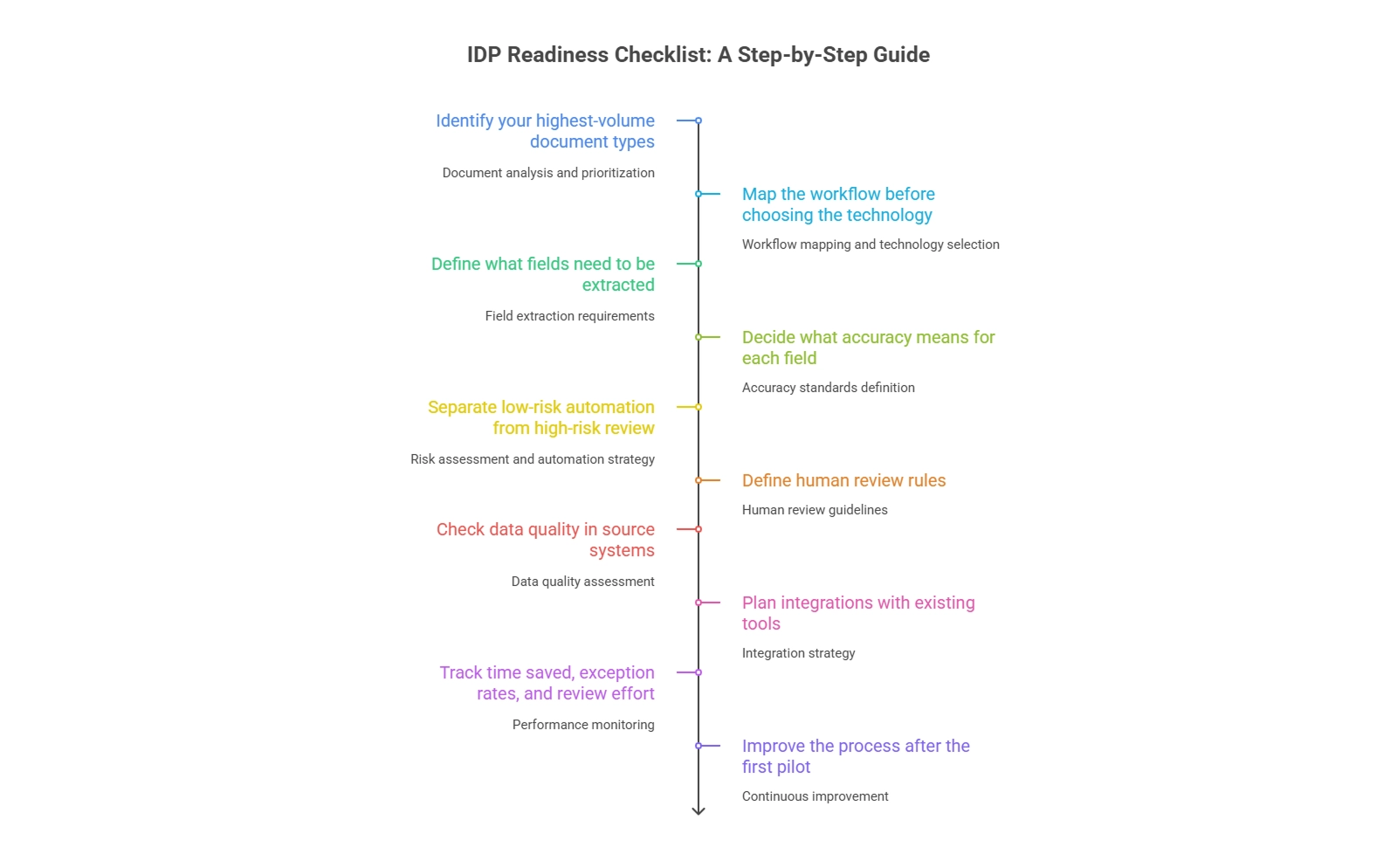
An IDP readiness checklist helps financial services teams prepare for intelligent document processing by mapping workflows, defining extraction fields, setting review rules, and tracking performance.
For example, invoice processing may allow more rule-based validation because totals, tax, supplier names, and payment terms can be checked against structured data. Advice document review may need more human oversight because the system must understand context, client goals, and recommendation logic.
This is why custom implementation often matters. A generic tool may process the document, but a finance team may still need workflow logic, integrations, user permissions, audit trails, and reporting.
If your team is exploring this, our document automation for financial services page explains how we approach document-heavy financial workflows. You can also explore our AI software development services if your IDP project needs custom AI, integrations, and production delivery.
If your team spends too much time creating, reviewing, or correcting financial documents, the next step is to identify where the effort is really going.
Our document automation platform for finances helps advice, wealth, and fintech teams reduce manual drafting, improve document consistency, connect documents with source data, and build clearer review workflows.
Explore how AI-powered financial document automation can help your team move from slow, document-heavy processes to structured, review-ready workflows.
Conclusion
Intelligent financial document processing is useful because it turns financial documents into structured, usable workflow data. It can help reduce manual effort, improve review consistency, and give teams better visibility across document-heavy processes.
The strongest results usually come when IDP is designed around the workflow. Finance teams need more than extraction. They need validation, traceability, review logic, integrations, and a clear understanding of where human judgement still matters.
If your team is dealing with slow document review, repeated data entry, inconsistent advice files, or disconnected financial workflows, intelligent document processing may be a practical place to start.
Ready to Explore AI in Your Projects?
Let’s talk about how AI models can accelerate your engineering workflows
and unlock new possibilities.
